Is a Password Manager worth it?
Video – VLog #20
In this video, this week we discuss the merits of using a password protection app (manager).
Do you know what a good password is and do you have a different one for your online accounts?
Script – VLog #20
Willie Nicol: Hello, everyone, welcome to another little video from me, the techno dinosaur, along with my friend David Logan, the IT Geek. As well as being a techno dinosaur I’m a coach, a life coach. I’m based in the sunny Costa Del Troon in South Ayshire, Scotland . Hello, David, how are you and where are you?
David Logan: Hi Willie. Thank you. Costa Del Troon? Sounds sunny. I’m the IT Geek based down in Annan, Scotland right on the English Scottish Border and it’s sunshine here as well.
Willie Nicol: Great, thank you, David. I have a question for you. Is it worthwhile using a password protection app to store all your passwords on?
David Logan: OK, so how long do we have, 12 hours?
Willie Nicol: As quick as you like.
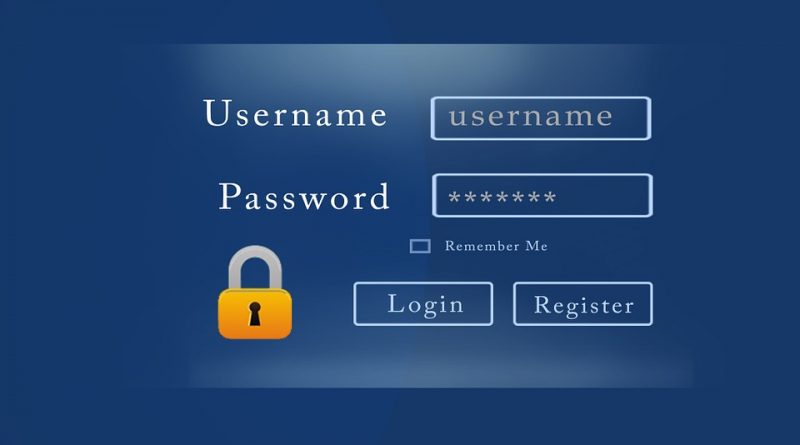
David Logan: OK, so for the Techno Dinosaur I’ll say yes. Short and simple answer. Yes. So why yes? Password management system can store your passwords, encrypt them in two places on the device and in the cloud. To keep it simple the techno dinosaur wants something that’s simple, idiot proof. So what we have also is a password generator, so that can give you, so you can put in there, in the password generator so many letters, so many numbers, so many uppercase or mixture uppercase lowercase and numbers as well as symbols to a certain length. So that’s one reason for doing it, the other reason is the simplicity. Simplicity is where – have you ever logged into your, I don’t know where you shop, if you shop online, I assume you do. Let’s say you shop at Marks and Spencers, for example. So there you can put in your e-mail address, where it says to put in your username – email address. Automatically the password manager runs in the background on your web browser and it will populate that password for you. All you need to do you then is press OK.
David Logan: How simple is that?
Willie Nicol: Very simple. Now … slightly confused that I have my username and different password for different sites, quite a few of them actually. Can I have the same passwords, put them into the password manager and then it auto-populates when I begin to log into a particular site. Is that what you’re saying?
David Logan: Potentially. Yes. So what it will do is you go to a website where the system doesn’t isn’t aware of your password. You type in your username, whether it is email address or Wilie Nicol or whatever you call yourself for that website. Type in your password, then the system will pop up and it will say “Do you want this stored your password management system?”. You say yes.
David Logan: To answer your question, are you allowed the same password for numerous websites?
David Logan: Not good password policy. When we’re talking about password management system or not. I am as guilty as everybody for this, I shouldn’t put my hand up when I’m saying this, but no. Good password policy is you shouldn’t do it. Why? I’ll answer that question myself and put the question to myself often answering it. If somebody guesses that password, think of it, they can get into those other websites. All the hacker does is what you call brute force. If they can get access to one part of your online activity, they’ll just keep using that password, until they can get into other activities. And they can learn more of you! I’m trying not to scare you, but that’s why. So basically, these policies built in to the password managers, so there will be different levels of policy, some will say no you can’t have the same password, some will say yeah.
Willie Nicol: OK, my next my next question as being a canny Scotsman, are there free versions or do you have to pay for these password management systems?
David Logan: OK, so majority of them are free. Which is good news.
David Logan: When it comes into payment, is if you want to if you want to connect over different internet connected devices. So, talking about, you know, if you are, do your shopping on your computer or your laptop. Maybe you think “Ah .. I could do with that.. ” when your sitting down at tea-time, dinner time, on your tablet. You might think “I could do with going into that website, buy that extra pint of milk. .. Ah .. I’ve I forgotten my password” . You have to get up, go to the a computer to get it. If you have it across device of the same as it is of the computer, it will autoomate that, but that’s where the money come in, that’s where they do it. You think about it, many folks shop using these nowadays. And how many people got tablets or laptops?
David Logan: Does that answer your question?
Willie Nicol: Yeah, yeah, yeah, so if I wanted it just for my PC, I’d probably be fine with a free version. If i wanted it on my PC, my tablet, my laptop, my phone, etc, etc. that would cost me – is that what your saying?
David Logan: Yes. Yep absolutely right. Very quickly, if you don’t mind me?
Willie Nicol: OK
David Logan: The top ones, which I suggest we go for. There is some well-known ones out there, the ones I would recommend is LastPass, that is L-A-S-T-P-A-S-S, which is free, and the other one is Dashlane, D-A-S-H-L-A-N-E. Both are free with paid options.
Willie Nicol: OK. Well that’s certainly food for thought David. That’s something I will consider doing and taking your advice and I’ll have a look. Online, at these two versions, if you like, I don’t tend to use my phone for anything financial because of my paranoia and I don’t have a laptop or a tablet. So I think a free one will be ideal for me. But for the viewer, if you have multiple devices and you want to have the password protection across these, you may have to consider a modest fee. Thank you, David. Any more than that?
David Logan: No. I’m good with that. Just be safe. Common sense when you’re online. Keep your passwords different.
Willie Nicol: I see. Thanks very much for that, David. It’s been very informative to the viewer I hope you found that useful and not too techie, as David explained it in very simplistic terms which even the Techno Dinosaur can understand. So I will now say goodbye with the usual caveat. Stay safe keep well, have a marvelous week. Bye for now from me, Willie Nicol, the Techno Dinosaur.
David Logan: Good bye, everybody. Have a great weekend.