The Difference between RAM and Hard Drive
Video – VLog #22
What is the difference between RAM and Hard Drive?
In this week’s video Willie Nicol (Techno Dinosaur) asks David Logan (IT Geek) what is the difference between RAM and physical hard drive.
Willie blames his age for mis-understanding .. should we blame age for this sort of mis-understanding?
Script – VLog #22
Willie Nicol: Hello everyone. Welcome to week 22 of the Techno Dinosaur Meets the IT Geek. I’m Willie Nicol life coach, also the Techno Dinosaur. I’m based in Troon, South Ayrshire, Scotland. I’d like to introduce you to my co-conspirator. Hi David how are you and where are you?
David Logan: Hi Willie. Thankyou. I’m David Logan, the IT Geek who is going to train you on how to use technology and use it efficiently. So I’m the guy who takes the jargon out of technology, explain it so you know what I’m talking about. I live in Annan, south-west Scotland and i’m based here today and it’s very wet here Willie.
Willie Nicol: Let’s say a bit dreich, as we say in Scotland.
David Logan: Absolutely.
Willie Nicol: However, I have a question for you today. David, are you ready?
David Logan: I am ready.
Willie Nicol: Yesterday, my wife had a slight meltdown because her laptop was full – it had run out of memory. So that prompted me to think, what happens when your device is bereft of memory .. full – has no memory left. What do we do? What are our options?
David Logan: OK, so when a device gets full, a computer, laptop or a phone, you probably get warning messages prior to that event. Saying “Beware 90 percent full, 95 percent full, 96, 97 .. potentially”. If it gets absolute full, it won’t function. And one can only assume that’s what’s happened to your wife yesterday – it got to the stage where it wouldn’t function and halted. Is that a fair assumption?
Willie Nicol: I believe that’s the case, she uses Apple products with which I’m not familiar. My understanding is that she told me she can’t, if you like, bolt on more memory because Apple products don’t let you do that. However, I think the same thing can apply to non Apple products, where you get to a point where your memory has been all used up. You have no more storage space, if I could put it like that? So if you’d be kind enough to explain the RAM the random access memory and what I call a permanent memory, differentiate between these two first, please?
David Logan: OK, so I’ll go back to your original question. What can you do when your device fills up? So this is your main physical memory, your hard drive. What I suggest you do is before it gets to that situation is to have an external hard drive, minimal. An external hard drive that you can plug in to your device and copy, copy, don’t MOVE – copy photos, videos off your device and to an external hard drive. Why i’m saying videos and photos – they take up the most room (capacity). Then you’ve got your normal documents, your Word documents, Excel documents, spreadsheets, word processing files, database files. They tend to take up less memory space, less capacity. So think what you’re talking about, oranges compared to grapes. Grapes are generally smaller whereas oranges are bigger. You can have more grapes and you’ve got to take the oranges out. Very simple.
David Logan: Your second question, what was, again, your second question?
Willie Nicol: The differentiation between RAM and hard drive memory.
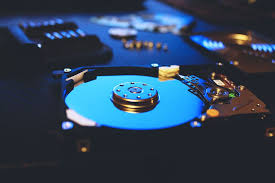
David Logan: So your hard drive memory, it’s a holding place for all your documents, your operating system, the software that can talk, when you press the button, it knows you press that button and it will appear on your document. So it’s the hard drive, holds all of your data, your programs, the engine of your computer systems, doesn’t matter if it’s a smartphone, Apple device, computer, laptop, or tablet. They’ve all got hard drives.
David Logan: RAM, random access memory, however, tends to, it’s like a temporary holding bit. So here we are doing this video conversation via zoom. This zoom application is stored in RAM currently. Now if you open up another program, for example, PowerPoint. We’re both familiar with PowerPoint. We can load it up, the RAM knows the zoom application zoom program zoom app, is the active one, but it still needs to keep the PowerPoint in the background running there, and it tends to be where your files can be saved, temporarily saved.
David Logan: But the smaller the RAM is, the slower the computer will be. Less room there’s for all these applications, these programs. So that’s why when you get bigger programs, more programs you push your system forward, you need to get more capacity in your RAM.
David Logan: Was that a bit over the head there..was it a bit complex?
Willie Nicol: No no i’m getting it. It’s the simplistically if I may. The more RAM you have, the quicker your device will operate, or the more things you can do on it at the one time.
David Logan: Potentially, yes. Yes, you can store it. But saying that RAM is limited by the main chip of the main motherboard of your system. So a lot of computers now, your everyday computer – windows 10, I can only talk about Windows I’m not familiar with apples, excuse me for that. They can take up to 32 64 gigabyte ram, which is phenomenal a lot. Now your hard drives you can go up to terra bytes. If you’re not sure, let’s put it down for another topic.
Willie Nicol: OK.
David Logan: We can go over it again. OK, so I think that’s us for this week. That’s really helpful?
Willie Nicol: Yes. I don’t know why I tend to forget about RAM and hard drives and giga-bytes and tera-bytes of what not – maybe it’s my age? That’s what I’ll blame it on anyway.
Willie Nicol: So thank you very much for that David. I’m going to say goodbye now and hand back to David. So it’s bye from Willie, the Techno Dinosaur from a very driech Troon in South Ayrshire. And I hope you stay well and have a great week.
David Logan: Excellent. Brilliant. Thank you for your question this week. Before we go Willie. To the viewer. I keep saying this we’re increasing numbers.
David Logan: Please, please subscribe to YouTube. See this button here subscribe press it. The reason is, Willie has got a prize for the person, the 100th subscriber to our YouTube channel. We’ve got a prize for you. A cracking prize, but also on other channels, Facebook, Twitter, LinkedIn – drop us a comment. If you are connected to us, in person, on any of these platforms – send us a message, a private one. If you don’t know how to contact, or otherwise, driop us a message and we will phone you back. Generally , I want to finish off. Have a great weekend, everybody, stay safe and healthy. Thank you.